Post reply

Warning: this topic has not been posted in for at least 120 days.
Unless you're sure you want to reply, please consider starting a new topic.
Name:
Email:
Subject:
Message icon:

Verification:
Type the letters shown in the picture
Listen to the letters / Request another image

Type the letters shown in the picture:
What is the last letter in the word "SlickEdit":
How many LETTERS are in the following? "a1b2c3":
Which number is missing?  "12345689":

shortcuts: hit alt+s to submit/post or alt+p to preview


Topic Summary

Posted by: IvanRohnson
« on: April 30, 2019, 08:32:04 AM »

Thank you, Mr. Clark, I will try this and I will report back if I have any trouble/problems!
Posted by: Clark
« on: April 29, 2019, 02:21:20 PM »

Attached is a basic macro doing this. Hope this helps.  Load this macro with "Macro>Load module...".  Type "replace_bytes <file1> <file2>" on the slickEdit command line. You'll need to adjust the seek locations and number of bytes you want to replace.
Posted by: IvanRohnson
« on: April 29, 2019, 01:56:21 PM »

HI all! I need to make something very simpl with many files! I need to get "specific bytes" from one file, and replace them to the same address on an another file:
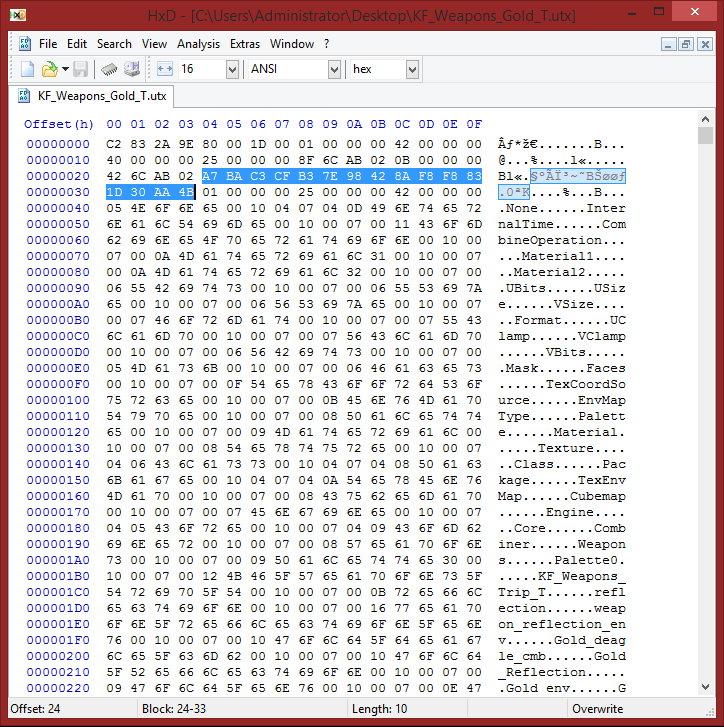


So that the specified value on the 2nd file will become same as on the 1st file.
Can you tell me how I can do this easily with SlickEdit or any other hex editor software? Thank you in advance!